

For over a decade, WP-Polls was the go-to way to add polls to a WordPress site. It’s free, it’s simple, and at its peak it powered polls on nearly 100,000 sites.
But if you’re reading this, you’ve probably noticed the same things we did: the plugin hasn’t been updated in over a year, it’s only tested up to WordPress 6.7.5, and the install count has dropped to 40,000+.
If you’re looking for a WP-Polls alternative that’s actively maintained and built for the modern WordPress editor, this post is for you. Here’s why users are moving on, and where they’re moving to.
Why People Are Looking for a WP-Polls Alternative
To be clear: WP-Polls earned its reputation. Its developer, Lester Chan, is one of the most respected veteran plugin authors in the WordPress community, and the plugin served WordPress users well for many years.
But in 2026, a few things make it hard to recommend.
1. No Updates in Over a Year
The WordPress.org plugin page tells the story. WP-Polls was last updated a year ago and is only tested up to WordPress 6.7.5, while WordPress itself has moved on to the 7.x branch.
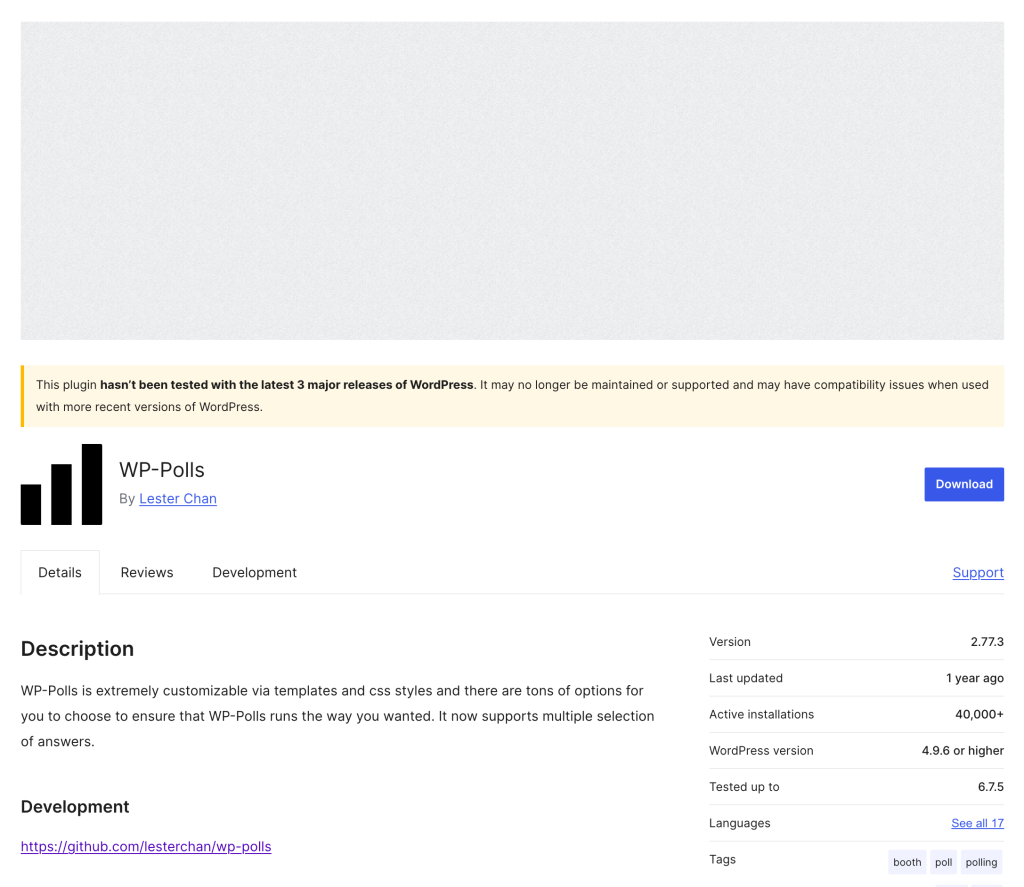
An outdated “tested up to” value doesn’t mean the plugin is broken today. But it does mean nobody is verifying compatibility with new WordPress releases, and every WordPress update becomes a small gamble.
2. It Was Built for the Shortcode Era
WP-Polls predates the block editor by more than a decade, and it shows:
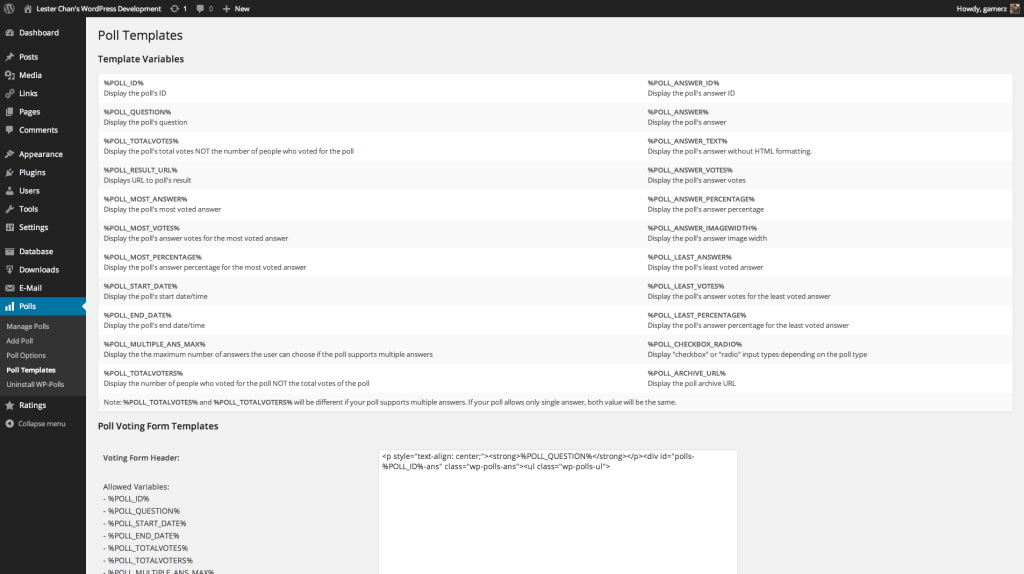
- Polls are created on a separate admin screen, not in the editor
- You insert them with shortcodes like
[poll id="2"] - Customizing the design means editing raw HTML templates and CSS files by hand
- There’s no live preview: you save, then check the frontend to see how it looks
That workflow made sense in 2010. In the age of Gutenberg, it feels like using a fax machine.
3. Known Friction on Modern Setups
Browse the recent reviews and support threads and a pattern emerges. Users report that WP-Polls doesn’t play well with common page caching setups (one reviewer had to remove it because it failed behind standard Cloudflare caching), and each poll is limited to a single question.
None of these are dealbreakers on their own. Together, on top of an aging codebase, they explain why the plugin’s install base has been shrinking.
The Alternative: OpinionCamp
OpinionCamp is a modern poll plugin built specifically for the WordPress block editor. It keeps everything people liked about WP-Polls, and fixes everything that aged badly.
Same Philosophy: Your Polls, Your Data
Like WP-Polls, OpinionCamp stores every poll and every vote in your own WordPress database. There’s no external service, no third-party account, and no data leaving your site. If data ownership is why you chose WP-Polls over hosted tools like Crowdsignal, nothing changes when you switch.
Modern Workflow: A Native Poll Block
Instead of a separate admin screen and shortcodes, OpinionCamp gives you a Poll block. You add it right inside your post, type the question and answers where they’ll appear, and see exactly what readers will see before you hit publish.
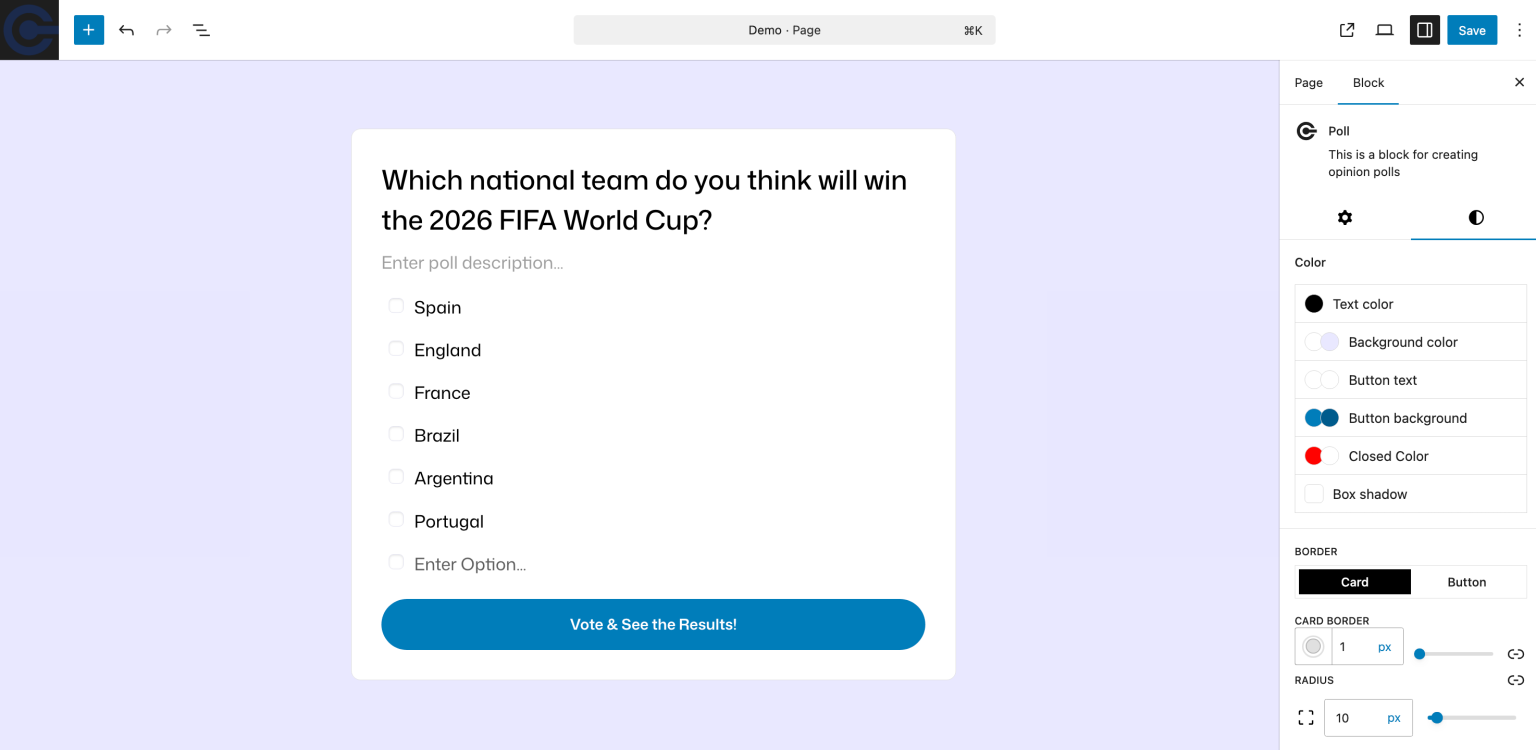
No shortcodes. No template variables. No editing CSS files to change a button color; every styling option is a visual control in the block sidebar.
Live Results, Modern Design
Polls look clean and mobile-responsive out of the box, match your theme automatically, and show voters live results the moment they vote. That instant feedback loop is what makes polls engaging in the first place.

Actively Developed
OpinionCamp is built by DotCamp, the team behind Ultimate Blocks and WP Table Builder, plugins that have been actively maintained for years. OpinionCamp ships regular updates, and OpinionCamp Pro adds voting restrictions to prevent repeat voting, unlimited polls, a Modern Card poll style, and advanced customization options.
WP-Polls vs. OpinionCamp: A Quick Comparison
| Feature | WP-Polls | OpinionCamp |
|---|---|---|
| Last updated | Over a year ago | Actively maintained |
| Tested up to | WordPress 6.7.5 | Latest WordPress |
| Block editor support | No (shortcodes) | Native Gutenberg block |
| Poll creation | Separate admin screen | Directly in the editor |
| Design customization | Edit HTML templates and CSS | Visual controls, no code |
| Live preview | No | Yes |
| Data storage | Your WordPress database | Your WordPress database |
| Repeat-vote prevention | IP and cookie logging | Voting restrictions (Pro) |
| Pricing | Free | Free, with Pro from $24.50/year |
How to Switch from WP-Polls to OpinionCamp
Moving over takes a few minutes:
- Install OpinionCamp from the WordPress plugin directory (it’s free).
- Recreate your active polls as Poll blocks in the posts and pages where they appear. Since OpinionCamp polls live inside your content, this is mostly copy-paste.
- Record the final results of old polls you want to keep. You can publish them as a closed poll or a simple results summary.
- Deactivate and remove WP-Polls once everything is in place. Its uninstall screen lets you clean up its database tables.
That’s it. No exports, no external accounts, no migration tools needed.
Final Thoughts
WP-Polls had a great run, and it deserves respect for what it did for the WordPress ecosystem. But polls are interactive, front-facing features of your site, and running them on a plugin that’s no longer keeping up with WordPress itself is a risk that gets bigger with every core update.
OpinionCamp gives you the same self-hosted, privacy-friendly approach with a workflow built for how WordPress works today.
You can download OpinionCamp for free and have your first poll live in about two minutes.

Leave a Reply